Cloud PBX, IP-PBX

Yeastar Call Flow Designer

From Call to Resolution—Drag, Drop, and Automate Complex Call Scenarios.

📞 Yeastar Call Flow Designer — Automate & Simplify Your Business Call Handling

In today’s fast-paced business world, handling calls efficiently isn’t just a convenience — it’s a necessity. With more customers, more call volumes, and complex routing needs, traditional static call routing just doesn’t cut it anymore. That’s where Yeastar’s Call Flow Designer comes in — a powerful visual call automation tool built into the Yeastar P-Series Phone System that transforms how businesses manage inbound calls. Yeastar

What is Call Flow Designer?

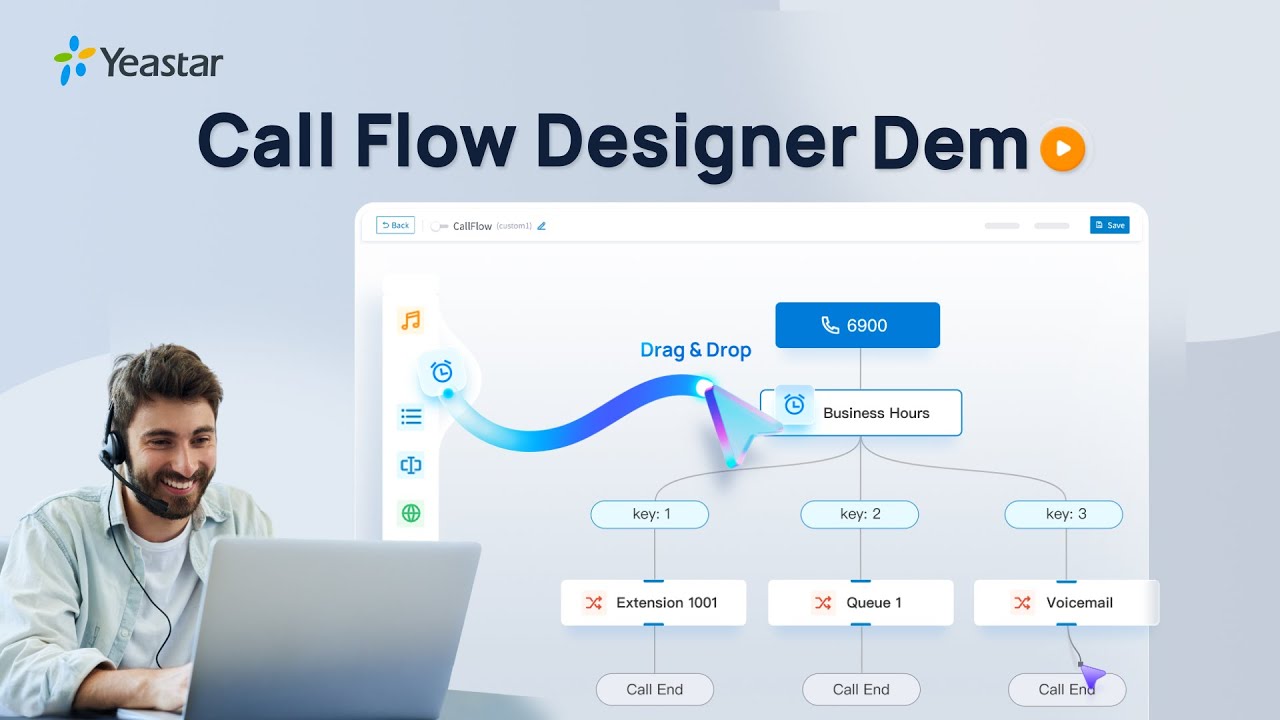
Yeastar Call Flow Designer (CFD) is a visual call automation tool built in the P-Series Phone System — no plugins or third-party tools required. With an intuitive drag-and-drop interface and support for conditions, loops, and variables, it empowers you to build customized call workflows in just hours.

It leverages native PBX components like Business Hours, IVR, Menu, Prompts, Dial by Number, Text-to-Speech, and more — all fully compatible with external CRMs and databases — to automate your business logic such as VIP routing, caller authentication, dynamic PIN verification, group transfers, in-or-after-call email notifications, and beyond.

From initial call entry to dynamic routing and post-call actions, Call Flow Designer helps agents manage calls more efficiently and customers reach the right destination faster.

Built-in, Drag-and-Drop Interface

22+ Native Action Blocks

CRM, Database & Developer Integration

Ready-to-use Templates

Practical Import & Export Support

How Does It Work?

Once you’re familiar with the building blocks of Call Flow Designer, you can easily construct an end-to-end automated call flow by dragging components into the Design Area.

Stage 1: Pre-call Handling

Define rules based on caller ID, dialed DID, business hours, and more. Route incoming calls dynamically by time, location, or identity.

Stage 2: In-call Handling

You can use actions like Prompts, Menus, User Input, and Transfer to manage the live call. Set up linear, branching, or looped logic depending on the workflow.

Stage 3: Post-call Actions

Trigger follow-ups like sending emails, pushing data to CRMs, or generating dynamic auto-responses using Text to Speech. Developer blocks extend your workflow beyond the call.

Stage 4: Save and Deploy

Once the flow is designed, simply save and publish it. The call flow can then be applied to a specific phone number or entry point. Each flow is fully visual, editable, and adaptable.

Design Your Call Flow From Here

Easily drag, drop, and deploy your call workflows from basic routing to complex CRM-integrated logic. Try Yeastar PBX free for 30 days and see how Call Flow Designer can streamline your call handling.

Get 30-Day Trial License

📈 Business Benefits

For Users

  • ✔️ Easy to use without technical skills

  • ✔️ Consistent customer experience

  • ✔️ More productive support teams

For Service Providers

  • ✔️ Faster implementation with reusable templates

  • ✔️ Lower maintenance costs

  • ✔️ Professional, visually documented call setups

CFD makes your business communication smarter, faster, and more responsive — helping you stand out through exceptional customer service.

Leave a Reply

Your email address will not be published. Required fields are marked *