

Blog
Basics of Networking & IP Telephony: What You Need to Know

Network Basics
A network is essentially a system of interconnected devices—computers, phones, printers—that communicate and share resources. Here’s what to grasp at a fundamental level:
- Types of Networks:
- LAN (Local Area Network): Connects devices within a limited area, like an office.
- WAN (Wide Area Network): Spans larger distances, potentially connecting offices globally.
- Wireless vs. Wired: Ethernet cables offer speed and stability; Wi-Fi gives flexibility.
- Core Components:
- Routers direct data traffic between networks.
- Switches connect devices within the same network.
- Access Points enable Wi-Fi connectivity.
- Cables (Ethernet) and wireless protocols (Wi-Fi, Bluetooth) for data transmission.
- Accessories like patch panels and POE injectors ensure efficient setup.
- Key Concepts:
- IP Addressing assigns unique identifiers to devices.
- Subnetting organizes networks into manageable segments.
- DHCP 服务自动分配这些IP地址。
- VLANs divide a physical network into multiple logical ones for better security and control.
Understanding networks is essential—it ensures your IP phones and gateways work fast, safe, and without interruption.
IP Telephony Basics
Also known as VoIP (Voice over Internet Protocol), IP Telephony delivers voice communication via your network instead of traditional phone lines:
- What It Is:
- Converts voice into data packets transmitted over IP networks.
- Why It Rocks:
- Reduces reliance on analog phone lines.
- Enables flexibility—call from anywhere.
- Scales easily for businesses of all sizes.
- Key Players:
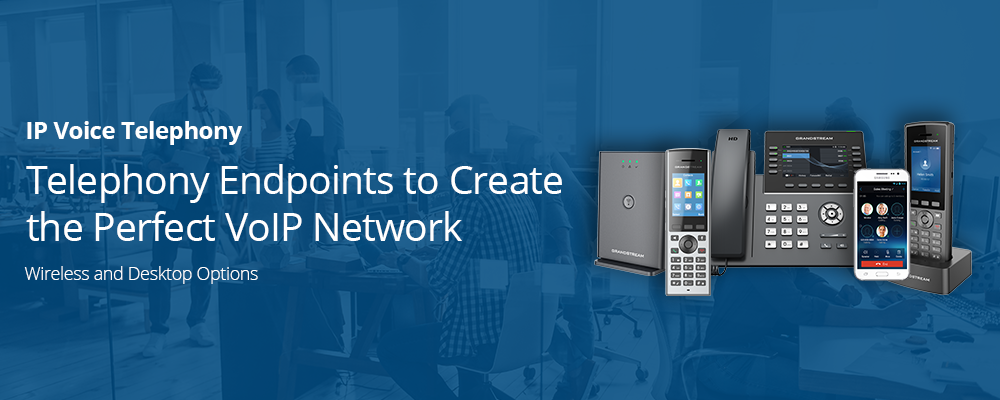
- IP Phones (like those from Snom, Fanvil, Yealink) connect directly to your network and support features like PoE, HD audio, and programmable keys. For example, the Snom D713 is an entry-level SIP desk phone with a color screen, PoE, and multiple SIP IDs .
- IP PBX Systems like Yeastar or CooVox allow routing, voicemail, auto-attendant, and unified communications. The CooVox-U50 strikes a balance between affordability, scalability, and functionality .
- VoIP Gateways connect analog lines or cellular networks to IP systems. Matrix gateways, for instance, let businesses route calls through GSM/3G channels, offering cost efficiency and flexibility .
- How They Fit Together:
- Your network forms the foundation.
- IP phones plug in via PoE or Ethernet.
- IP PBX handles call management.
- Gateways expand options and bridge legacy systems.
How CESGULF Can Help
CESGULF offers a full suite of solutions to support your transition or upgrade to IP telephony:
- IP Phones: A wide selection from reliable brands like Snom, Fanvil, Grandstream, Yealink, and Cisco offers options from budget-friendly models to feature-rich executive devices .
- IP PBX Solutions: Systems such as Yeastar and CooVox empower businesses with remote connectivity, voicemail, auto-attendants, and more .
- Gateways: Matrix VoIP/GSM gateways ensure seamless integration with analog and cellular systems, minimizing costs and maximizing flexibility .
- Robust Devices: For demanding environments, CESGULF provides industrial-grade options like the Waterproof Telephone—which withstands harsh conditions, offers IP66-IP67 protection, PoE support, and visual indicators like a flashing beacon .
Suggested Post Structure
| Section | Content Focus |
|---|---|
| 1. Introduction | Briefly explain the importance of strong network infrastructure and IP telephony in today’s business environment. |
| 2. Network Fundamentals | Define network types, components, and best practices for reliability and security. |
| 3. IP Telephony Essentials | Explain how VoIP works and the roles played by IP phones, PBX systems, and gateways. |
| 4. CESGULF’s Role | Showcase your hardware offerings: IP phones, PBXs, gateways, and rugged units. Link to product categories. |
| 5. Use Cases | Offer practical examples—like setting up remote offices or factory-floor communications. |
| 6. Getting Started / Next Steps | Encourage readers to contact CESGULF for network evaluation, compatibility checks, or product demos. |


