

Blog
Yeastar P-Series Phone System with WhatsApp Integration in Saudi Arabia

Connect WhatsApp Business, Business Calls and Customer Support in One Platform
Businesses today communicate with customers through phone calls, WhatsApp messages, websites, email and other digital channels. Managing these conversations separately can make it difficult for sales and customer-service teams to respond quickly and keep track of customer history.
Yeastar P-Series Phone System with WhatsApp Business integration provides a unified communication solution that brings WhatsApp messaging together with business telephony and unified communications.
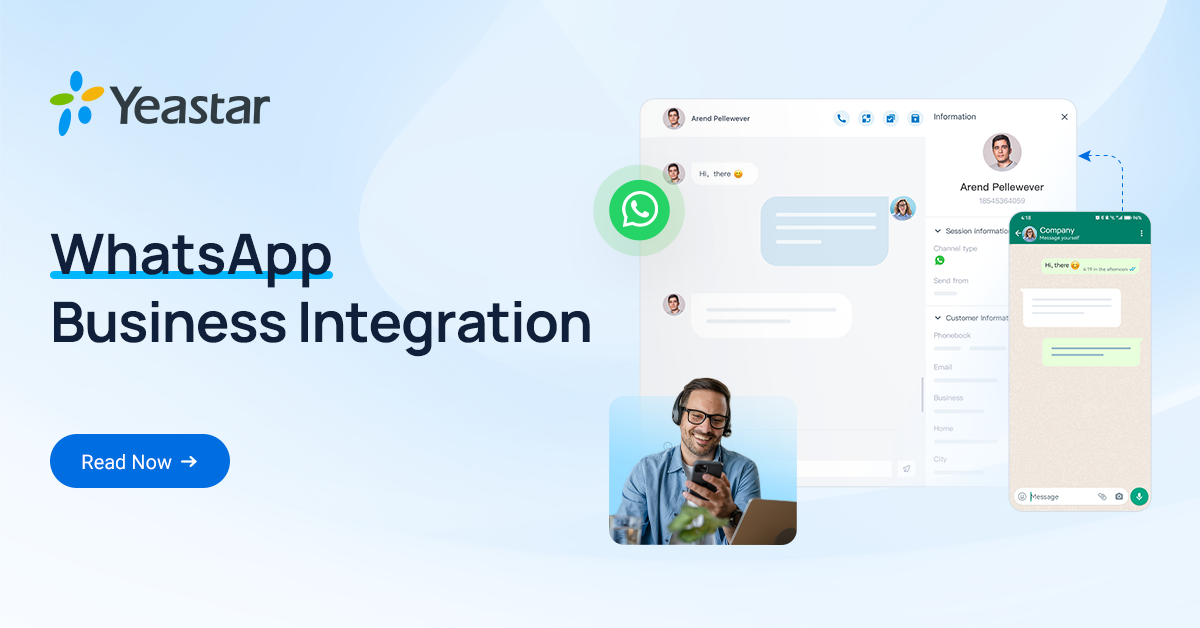
With WhatsApp integrated into the Yeastar P-Series Phone System, businesses can manage customer WhatsApp conversations through Yeastar Linkus UC Clients, while also having access to calling, contacts, chat history and team communication from the same platform.
For businesses in Saudi Arabia, this can provide a practical way to combine WhatsApp Business communication and IP-PBX phone system functionality in one solution.
What is Yeastar P-Series WhatsApp Integration?
The Yeastar P-Series Phone System supports WhatsApp Business Platform integration through its Omnichannel Messaging capabilities.
Once configured, authorized users can receive and reply to WhatsApp customer messages directly through Linkus UC Clients instead of constantly switching between WhatsApp and the PBX.
Yeastar describes the solution as allowing users to manage WhatsApp conversations, receive notifications, access chat records and move from a chat to a phone call when necessary.
This makes the P-Series suitable for businesses that want to combine:
- IP PBX
- Business telephone system
- WhatsApp Business messaging
- Customer service
- Sales communication
- Contact center functions
- Internal team communication
- Remote communication
- Customer chat history
WhatsApp + PBX: One Communication Platform
Instead of having one employee answering WhatsApp and another system handling phone calls, the P-Series can bring these communication activities together.
Customer sends a WhatsApp message
↓
Message reaches the Yeastar P-Series
↓
Message is delivered to the appropriate user or message queue
↓
Employee receives the conversation in Linkus
↓
Employee replies to the customer
↓
If necessary, the conversation can be transferred to another colleague or escalated to a phone call
This creates a more connected customer-service workflow.
Key Features of Yeastar P-Series WhatsApp Integration
1. Send and Receive WhatsApp Messages
Users can send and receive WhatsApp messages directly through Linkus UC Clients.
This allows employees to manage customer conversations without constantly switching between different applications.
Linkus can be used through supported web, desktop and mobile clients, allowing employees to respond from different locations.
2. WhatsApp Chat History
Customer conversations can be maintained within the PBX's messaging environment.
This is useful when a customer contacts the company again and the sales or support team needs to understand previous communication.
Yeastar provides centralized external chat records with options to search, download, delete or transfer chat records. Backup rules can also be configured for longer-term storage.
3. Chat-to-Call
Sometimes WhatsApp messaging is not enough.
For example, a customer may ask:
"Can someone call me?"
Instead of continuing a long text conversation, the employee can move from the WhatsApp conversation to a phone call.
Yeastar's Omnichannel Messaging solution supports moving from chat to calls from the interface.
This is particularly useful for:
- Sales enquiries
- Technical support
- Quotations
- Product enquiries
- Service requests
- Appointment confirmation
- Customer complaints
4. WhatsApp Message Queues
WhatsApp conversations can be directed to a message queue, allowing multiple agents to share customer communication.
For example:
WhatsApp Sales Queue
- Sales Agent 1
- Sales Agent 2
- Sales Agent 3
- Sales Supervisor
New conversations can be distributed to the appropriate team rather than depending on one person's WhatsApp account.
Yeastar documents support for routing WhatsApp messages to extensions or message queues.
5. Chat Assignment and Transfer
A conversation can be transferred to another colleague or queue when a different department needs to handle the customer.
For example:
Customer → Sales → Technical Support
The conversation history can remain available when the chat is transferred, helping the next employee understand the customer interaction.
6. Multiple WhatsApp Accounts
Yeastar's current WhatsApp integration documentation describes support for integrating multiple WhatsApp accounts/channels with the P-Series environment.
This can be useful for businesses with separate numbers for:
- Sales
- Customer support
- Marketing
- Branches
- Departments
- Different business activities
Always confirm the exact supported configuration and WhatsApp/Meta requirements for your particular deployment before implementation.
WhatsApp Business Message Templates
WhatsApp Business Platform uses approved message templates for certain proactive/outbound messaging scenarios.
This allows businesses to use WhatsApp for activities such as:
- Customer notifications
- Appointment reminders
- Order updates
- Service notifications
- Marketing campaigns
- Authentication-related messages
Yeastar's documentation also describes outbound WhatsApp messaging using pre-approved WhatsApp message templates.
WhatsApp Business Platform policies and Meta approval requirements apply, so businesses should ensure their messaging follows the applicable WhatsApp/Meta rules.
WhatsApp Contact Center with Yeastar P-Series
The combination of WhatsApp + P-Series PBX + Linkus + Contact Center can create an omnichannel customer-service environment.
A business can combine:
- ☎️ Incoming calls
- 📞 Outgoing calls
- 💬 SMS/MMS where supported
- 🎥 Video communication
- 👥 Internal chat
- 🧑💼 Contact center agents
- 📊 Communication records
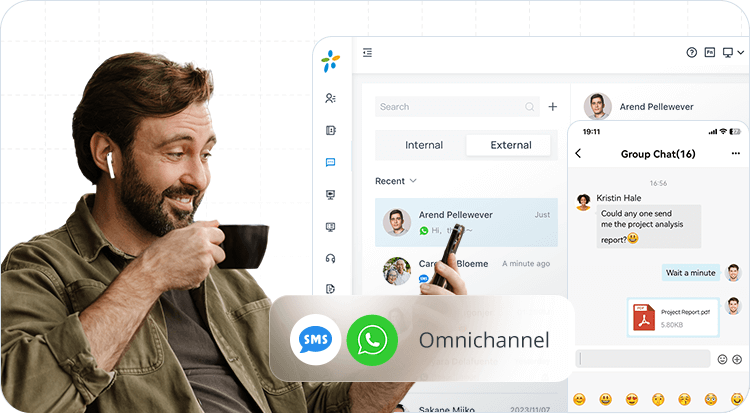
Yeastar describes its Omnichannel Messaging environment as bringing channels such as calls, video, live chat, SMS, WhatsApp and Facebook messaging into a unified communication environment.
Yeastar Linkus UC Client
The Linkus UC Client is an important part of the WhatsApp integration.
Employees can use Linkus through supported platforms to access their business communication environment.
Depending on the deployment, users can work through:
- Web browser
- Desktop
- Mobile
This allows sales and customer-service employees to handle customer communication even when they are away from their office desk.
Automatic Contact Matching
Another useful feature is contact matching.
When a customer contacts the business through WhatsApp, the PBX can match the customer with contact information stored in the PBX or synchronized from connected CRM/helpdesk systems.
This can help employees identify customers more quickly and provide a more personalized response.
WhatsApp Communication Statistics
Businesses can also monitor WhatsApp channel activity.
Yeastar provides statistics such as:
- Messages sent
- Messages received
- Failed messages
- Channel performance
Detailed message records can also provide information about customer interactions and messaging activity.
This can help management monitor communication performance and identify areas for improvement.
Yeastar P-Series Models for WhatsApp Business Integration
The WhatsApp integration is a P-Series Phone System feature, subject to the applicable plan, firmware and deployment requirements.
CESGULF can help businesses evaluate the appropriate P-Series solution based on:
- Number of extensions
- Number of users
- Concurrent calls
- WhatsApp users
- Message queues
- Contact center requirements
- SIP trunk requirements
- CRM integration
- On-premise or cloud deployment
- Remote employees
P-Series solutions can be deployed in different environments, including appliance, software and cloud editions, with requirements varying by edition.
WhatsApp Integration Requirements
Before starting the installation, businesses should prepare the required WhatsApp Business Platform and PBX resources.
Yeastar currently specifies:
Yeastar P-Series
- P-Series Phone System
- Enterprise Plan or higher
- Supported firmware/version
- Appropriate network/remote-access configuration
- WhatsApp Business Platform account
- Meta Developer account
- Meta Business/Business Portfolio
- Valid business phone number
- Required business verification/payment setup where applicable
For appliance deployments, Yeastar currently documents Enterprise or Ultimate plan requirements and remote access through a domain name with a valid certificate when using a self-managed domain.
For Cloud Edition, Yeastar documents its own firmware/domain requirements and WhatsApp Business Platform prerequisites.
Requirements can change with WhatsApp/Meta and Yeastar platform updates, so configuration should be checked before deployment.
How to Set Up WhatsApp on Yeastar P-Series
The overall implementation normally involves several stages.
Step 1 – Prepare WhatsApp Business Platform
Create/configure the required Meta Business and WhatsApp Business resources.
Step 2 – Create the Meta Developer Application
Create a Business-type application in Meta for Developers and enable/configure WhatsApp.
Step 3 – Prepare Business User Access
Configure the required system user and permissions in Meta Business Suite.
Step 4 – Configure WhatsApp Channel in Yeastar
Open the P-Series management portal and configure the WhatsApp channel under the messaging settings.
Step 5 – Configure Webhook
Configure the WhatsApp messaging webhook in Meta.
Step 6 – Configure Message Destination
Configure whether incoming WhatsApp conversations should be delivered to:
- An extension
- A message queue
- Another supported destination
Step 7 – Test Messaging
Send a test WhatsApp message and confirm:
- Incoming message delivery
- Outgoing replies
- User/queue routing
- Chat history
- Notifications
- Media/file handling
- Chat-to-call functionality
Yeastar provides detailed setup documentation for the different P-Series editions.
WhatsApp Integration for Saudi Arabian Businesses
For companies in Saudi Arabia, WhatsApp is an important customer communication channel.
A business can use Yeastar P-Series to build a communication workflow around its business WhatsApp number.
Examples
Real Estate
Customer sends:
"I need a 3-bedroom apartment in Riyadh."
Sales agent receives the WhatsApp conversation and can continue the discussion or call the customer.
Trading Company
Customer asks for product availability.
Sales staff can reply through Linkus and transfer the conversation if technical information is required.
IT & Telecom Company
Customer sends a WhatsApp enquiry about:
- IP PBX
- SIP Trunk
- IP Phone
- GSM Gateway
- Cloud PBX
- Networking
- Technical support
The enquiry can be handled by sales or routed to the appropriate support queue.
Healthcare / Clinics
Subject to applicable regulatory and privacy requirements, businesses can use structured communication workflows for appointments and customer enquiries.
Why Combine WhatsApp with an IP PBX?
Traditional business communication often looks like this:
WhatsApp → WhatsApp App
Phone → PBX
Customer records → CRM
Internal communication → Separate application
This can create fragmented customer information.
With Yeastar P-Series Omnichannel Messaging, businesses can bring supported communication channels together into one environment.
Customer
WhatsApp message
↓
Yeastar P-Series
Message processing/routing
↓
Sales or Support Queue
↓
Linkus UC Client
↓
Reply / Transfer / Call
This can simplify customer communication and improve team collaboration.
Yeastar P-Series WhatsApp Integration for Call Centers
For businesses operating a customer-service or call-center environment, WhatsApp can become another customer-contact channel.
Possible workflow:
WhatsApp Customer
↓
WhatsApp Channel
↓
Message Queue
↓
Available Agent
↓
Chat
↓
Transfer to Specialist
↓
Phone Call if Required
This allows businesses to combine digital messaging and voice communication in a single customer-service workflow.
WhatsApp + SIP Trunk + IP Phones
A complete business communication solution can combine:
WhatsApp Business
Yeastar P-Series PBX
SIP Trunk
DID/DOD
IP Phones
Linkus UC Clients
Contact Center
This means a company can maintain both digital messaging and traditional business telephony within the same communication platform.
WhatsApp Integration for Remote Employees
Modern businesses often have employees working from:
- Office
- Home
- Branch offices
- Customer locations
- Remote locations
Because Linkus provides supported web, desktop and mobile access, employees can use the business communication platform remotely, subject to the deployment and access configuration.
This can be useful for:
- Sales teams
- Customer support
- Service engineers
- Managers
- Remote branches
- Work-from-anywhere teams
Centralized Customer Communication
One of the major advantages of integrating WhatsApp with a business PBX is centralized communication.
Instead of relying on one employee's personal WhatsApp account, the business can establish a structured business communication environment.
This can provide:
- Centralized conversations
- Team-based handling
- Chat transfer
- Message queues
- Customer history
- Statistics
- Business calling
- Remote access
- CRM/helpdesk contact matching
Who Can Benefit from Yeastar P-Series WhatsApp Integration?
This solution can be suitable for:
- Small and medium businesses
- Enterprises
- Real estate companies
- Trading companies
- IT companies
- Telecom companies
- Hotels
- Clinics
- Schools and educational organizations
- Service companies
- E-commerce businesses
- Customer support centers
- Sales organizations
- Multi-branch businesses
- Call centers
CESGULF – Yeastar P-Series WhatsApp Integration in Saudi Arabia
CESGULF provides Yeastar P-Series Phone System solutions and communication integration services for businesses in Saudi Arabia.
We can assist with solution planning for:
- Yeastar P-Series PBX
- WhatsApp Business Platform integration
- Linkus UC Client
- IP Phones
- SIP Trunk
- DID/DOD
- Contact Center
- Message Queues
- CRM integration
- Remote users
- Cloud and on-premise deployments
- PBX configuration
- WhatsApp channel setup
Whether you need a small business phone system with WhatsApp or a larger customer-service/contact-center solution, we can help design the appropriate architecture according to your requirements.
WhatsApp + IP PBX + Contact Center + UC
Build a modern customer communication platform with Yeastar P-Series.
Request a Yeastar P-Series WhatsApp Solution
If you are looking for:
Yeastar P-Series PBX in Saudi Arabia
Yeastar WhatsApp Integration
WhatsApp Business PBX
WhatsApp Contact Center
WhatsApp + SIP Trunk
Yeastar P550 / P560 / P570 Solution
Linkus UC Client
Business WhatsApp Integration in Riyadh
Contact CESGULF for system configuration, integration and quotation.
Frequently Asked Questions
Can Yeastar P-Series integrate with WhatsApp?
Yes. Yeastar P-Series supports WhatsApp Business Platform integration through its Omnichannel Messaging functionality, allowing users to manage WhatsApp conversations through Linkus UC Clients.
Can employees reply to WhatsApp messages from Linkus?
Yes. Authorized users can receive and reply to WhatsApp messages through supported Linkus UC Clients.
Can WhatsApp messages be sent to a team?
Yes. WhatsApp conversations can be routed to a message queue so that appropriate agents can handle customer conversations.
Can a WhatsApp chat be converted into a phone call?
Yes. Yeastar provides a chat-to-call capability within the interface.
Can I use my normal WhatsApp account?
The integration is based on the WhatsApp Business Platform, so businesses should plan around the supported Meta Business/WhatsApp Business requirements rather than treating it as a simple WhatsApp desktop/mobile application connection.
Can I use WhatsApp with Yeastar P-Series Cloud?
Yes, WhatsApp channel setup is documented for P-Series Cloud Edition, subject to its specific firmware, domain and WhatsApp Business Platform requirements.


