

Blog
How to Set Up a Cloud PBX with Cloud SIP Trunks for Small Businesses

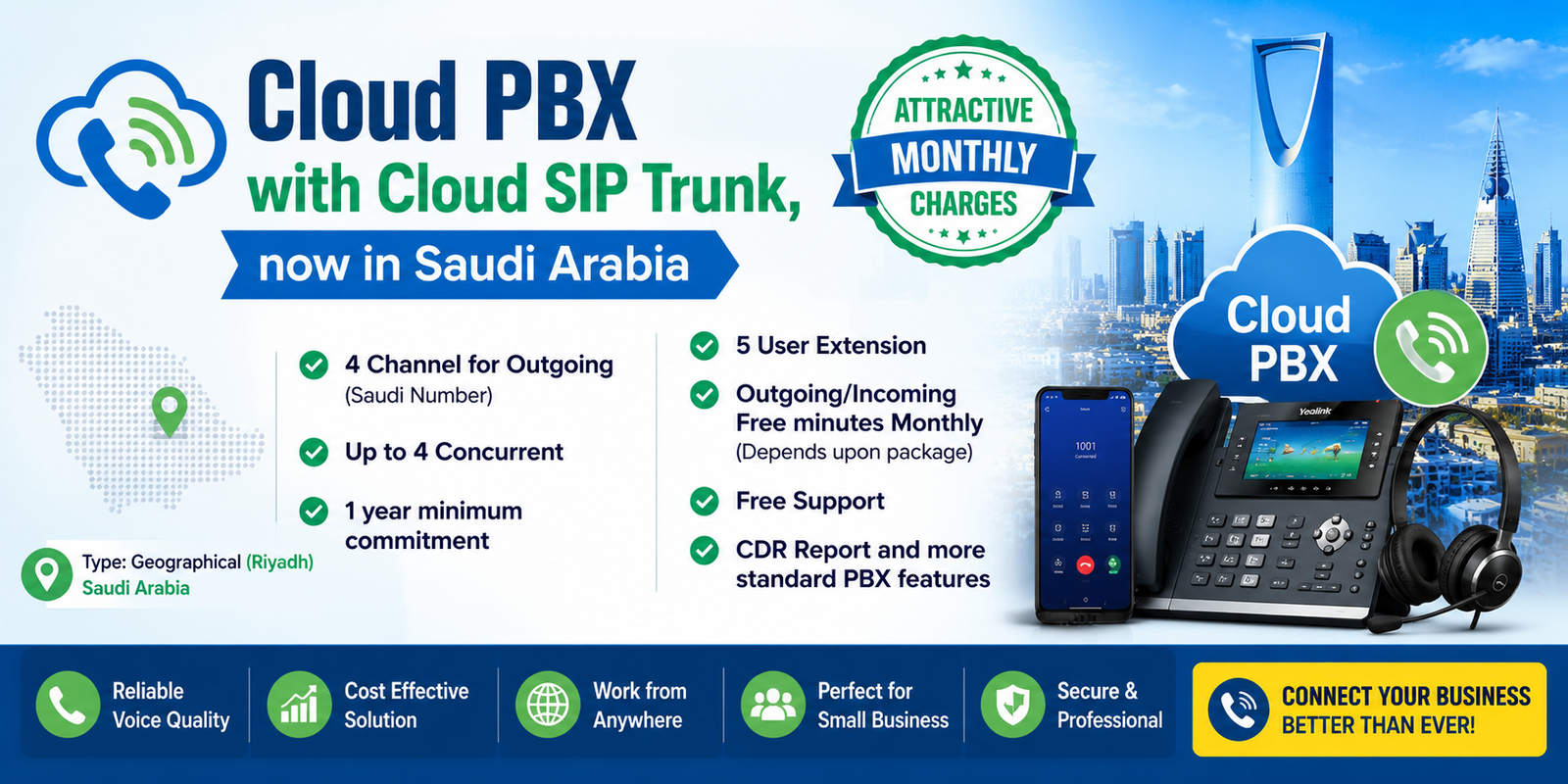
Modern businesses are rapidly moving from traditional telephone systems to Cloud PBX and SIP Trunk solutions. Cloud communication systems provide flexibility, remote access, lower operational costs, and advanced calling features for small and growing businesses.
In this guide, we explain how to set up a Cloud PBX with Cloud SIP Trunks for small businesses in Saudi Arabia.
What is a Cloud PBX?
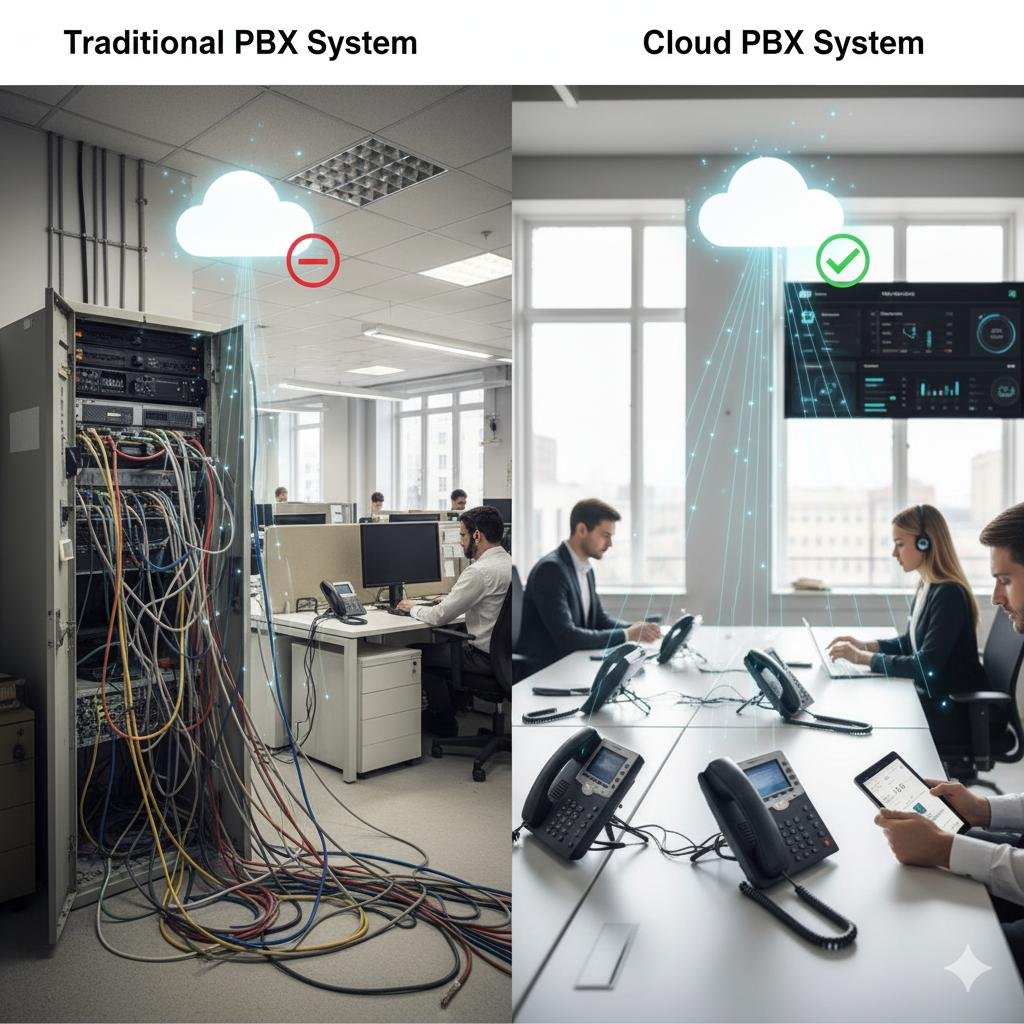
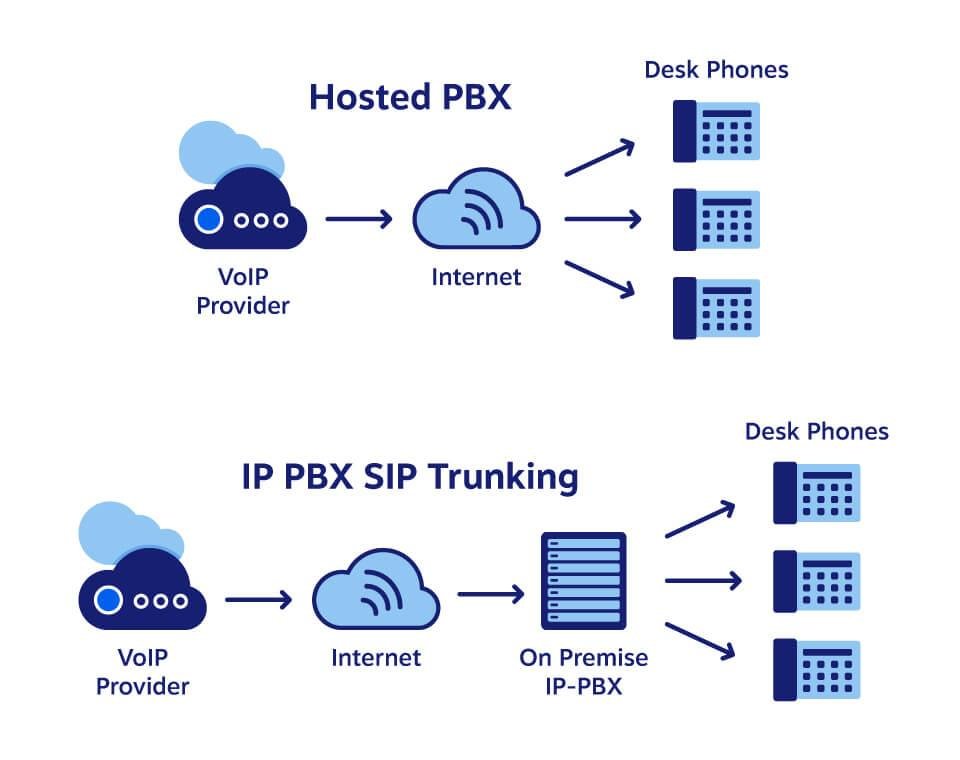
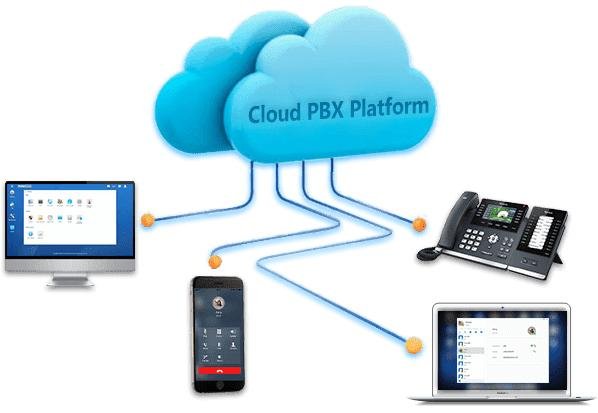
A Cloud PBX (Private Branch Exchange) is a virtual telephone system hosted on the cloud instead of a physical server installed in the office.
It allows businesses to:
- Make and receive calls over the internet
- Connect multiple office branches
- Use mobile apps and remote extensions
- Manage calls from anywhere
Popular Cloud PBX platforms include:
- Yeastar Cloud PBX
- 3CX Hosted PBX
- CESGULF CLOUD
- Grandstream UCM Cloud
- Asterisk-based systems
What is a SIP Trunk?
A SIP Trunk is a virtual telephone line that connects your IP-PBX system to the public telephone network using internet connectivity instead of traditional analog lines.
SIP Trunks provide:
- Local and international calling
- DID numbers
- Multi-channel voice communication
- Lower call costs
- Better scalability
Benefits for Small Businesses
Cost Savings
No expensive telephone wiring or traditional PBX hardware is required.
Remote Work Support
Employees can use office extensions from home or mobile devices.
Easy Scalability
Add new users and extensions anytime.
Multi-Branch Connectivity
Connect different office locations under one phone system.
Professional Features
- IVR auto attendant
- Call recording
- Voicemail to email
- Mobile apps
- Video conferencing
- CRM integration
Basic Requirements for Cloud PBX Setup
Reliable Internet Connection
A stable fiber internet connection is recommended.
IP Phones or Softphones
Businesses can use:
- IP phones
- Mobile apps
- Desktop softphones
Cloud PBX Platform
Choose a hosted PBX provider or cloud server solution.
SIP Trunk Provider
Select a reliable SIP trunk provider for incoming and outgoing calls.
Step-by-Step Cloud PBX Setup
Step 1 – Choose a Cloud PBX Platform
Select a suitable cloud PBX solution based on business size and required features.
Popular options:
- Yeastar
- Grandstream
- 3CX
- FreePBX
Step 2 – Configure SIP Trunk
Add SIP trunk details provided by the telecom or VoIP service provider.
Typical SIP settings include:
- SIP Server
- Username
- Password
- DID Numbers
- Outbound Proxy
Step 3 – Create Extensions
Add employee extensions and assign IP phones or softphones.
Step 4 – Configure IVR & Call Routing
Set up:
- Auto attendant
- Ring groups
- Business hours
- Call forwarding
Step 5 – Connect IP Phones
Provision IP phones manually or automatically using cloud provisioning.
Step 6 – Test Calls
Verify:
- Incoming calls
- Outgoing calls
- Extension-to-extension communication
- Audio quality
Recommended Devices
IP Phones
- Grandstream
- Fanvil
- Yealink
- Yeastar compatible phones
VoIP Gateways
Useful for integrating analog devices or PSTN lines.
Cloud PBX for Saudi Arabia
Cloud PBX solutions are becoming increasingly popular in Saudi Arabia because businesses require:
- Remote office support
- Branch connectivity
- Mobile communication
- Cost-effective telecom solutions
Many companies are now replacing traditional PBX systems with cloud-based communication platforms.
Why Choose CESGULF?
CESGULF provides complete Cloud PBX and SIP Trunk solutions for businesses in Saudi Arabia.
Our services include:
- Cloud PBX setup
- SIP trunk integration
- IP phone supply
- Remote support
- PBX migration
- Multi-branch office solutions
We support various brands including:
- Yeastar
- Grandstream
- Fanvil
- Yealink
Conclusion
Cloud PBX with SIP Trunks is an ideal communication solution for small businesses looking for flexibility, scalability, and professional calling features.
With the right setup, businesses can reduce telecom costs while improving communication efficiency and remote connectivity.
For Cloud PBX and SIP Trunk solutions in Riyadh, Saudi Arabia, contact CESGULF today.


